


Reviews
19 reviews

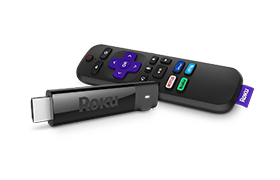
If you have a HD TV and are new to streaming, then this is the device for YOU. This is my first streaming device and I'm far from being a techie, so I was pleasantly surprised at how easy it was to set up. You just plug into the HDMI port on your TV. Now with the power USB, you can go two ways. You can either plug it into a USB port on your TV, or you can plug it into a USB wall charger (block). I chose the wall charger. Which you will have to buy separately. Luckily I already have a few on hand. Make sure your Roku device is up front. You will need to point the Roku remote at it and that won't work if you have the device behind the TV. There is an adhesive strip, included, which you can use to affix your device to your TV if you desire. I just chose to set my device in front of the TV as shown in one of my pictures. After that's all set up, you put the batteries into the Roku remote. Next, you use your TV's remote to power on your TV. Go to Input on your TV's remote and select what ever HDMI port you plugged the Roku into. It takes a little while for it to load. Be patient. Once it's loaded, it will guide you through the steps to set up your device. You will have to sign up for a Roku account. So have your smart phone on hand. If you're like me, and you have no smart phone, no problem! You can use a computer, tablet or whatever else can get you online. I had actually already signed up for an account before I even got my Roku device. So that made it quicker. I've seen some people indicate that it makes you add a credit card to your account, before you can use it. But I've found that to be false. Of course you will be directed to a page where it prompts you to add a credit card, but if you scroll all the way to the bottom of that page, you will find that there is a 'Skip this step' option. I chose to skip it. You can always go back, later on, and add a credit card if you desire. The remote is simple. It just controls the Roku device. There are no controls for your TV (Volume, Power etc...). But that really doesn't bother me. I'm used to having to use 2 remotes when I use my dvd player. So this was really no adjustment for me. All in all I'm really enjoying being able to watch movies, live TV etc... on my TV. Before, I was having to watch on my computer, in the home office, with my sister across the room playing her video games. Which could be annoying at times. Now I can watch on my bigger TV screen in the quietness of my bedroom. The only problem I had was finding my Watch List on the Pluto channel. lol Took me a while to realize that I had to go to On Demand to find my Watch List. All in all, I am very happy with this device and would recommend it. I did not rate the voice recognition, because this device doesn't have that option.

Obsessed with this!! Ever since I got roku i have gotten one for every TV in my house. The user face is the best compared to competitors and it is so easy to use. I love the voice control and the recommended options as well as the free roku tv channels.

So easy to use! I currently use a TV that is 11 years old And is Still compatible with this Roku! it is so easy to connect and it looks like a new smart TV! Highly recommend it for anyone!
Shop with total confidence.
Get access to every single review. It all starts with the app.

